How to share recordings with your students
Steps to follow In case you want to share the recording of a class with a student.
Steps to follow In case you want to share the recording of a class with a student:
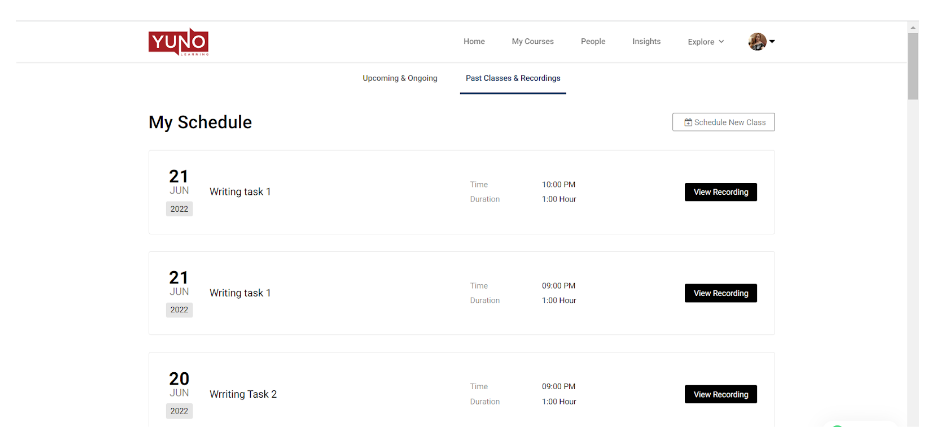
- Go to your Past Classes and Recordings.
- Click on the View Recording button of the class that you want to share.
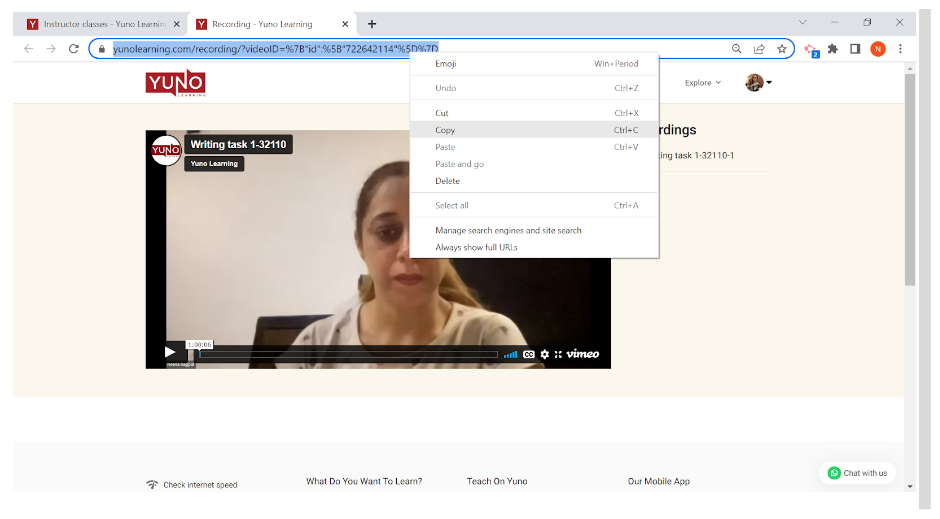
- New tab will open. Select and copy the video link from the address bar by right clicking.
- Open WhatsApp Web in a new tab and send the link to your student.